Paper Trading Simulator — replay past sessions, fill on realistic spreads
Market replay of real past sessions · spread + slippage + commission fills · 83 indicators + 23 drawing tools · scalper hotkeys · R-multiple journaling · shorting with borrow carry · SSR / LULD · free $25k starter account
A paper trading simulator that practices like the real thing. Replay any recent trading session bar-by-bar, fill every order against a modeled bid/ask spread, real-volume slippage, and commissions, chart with the full 53-indicator toolkit, trade by hotkey, and auto-log every closed trade with its R-multiple. Free account starting at $25,000 — adjustable, no credit card.
What it does
What it does
Most paper trading teaches bad habits: fills at mid-price, infinite liquidity, no commissions, no slippage, no rules. Tapeboard models the friction that actually decides whether a strategy survives — the spread you pay, the slippage you take on size, the commissions and SEC/TAF fees that quietly eat a high-frequency scalp — and lets you rehearse it on the exact past sessions that matter through market replay. The goal is muscle memory and an honest P&L that transfers to a live account.
Market replay
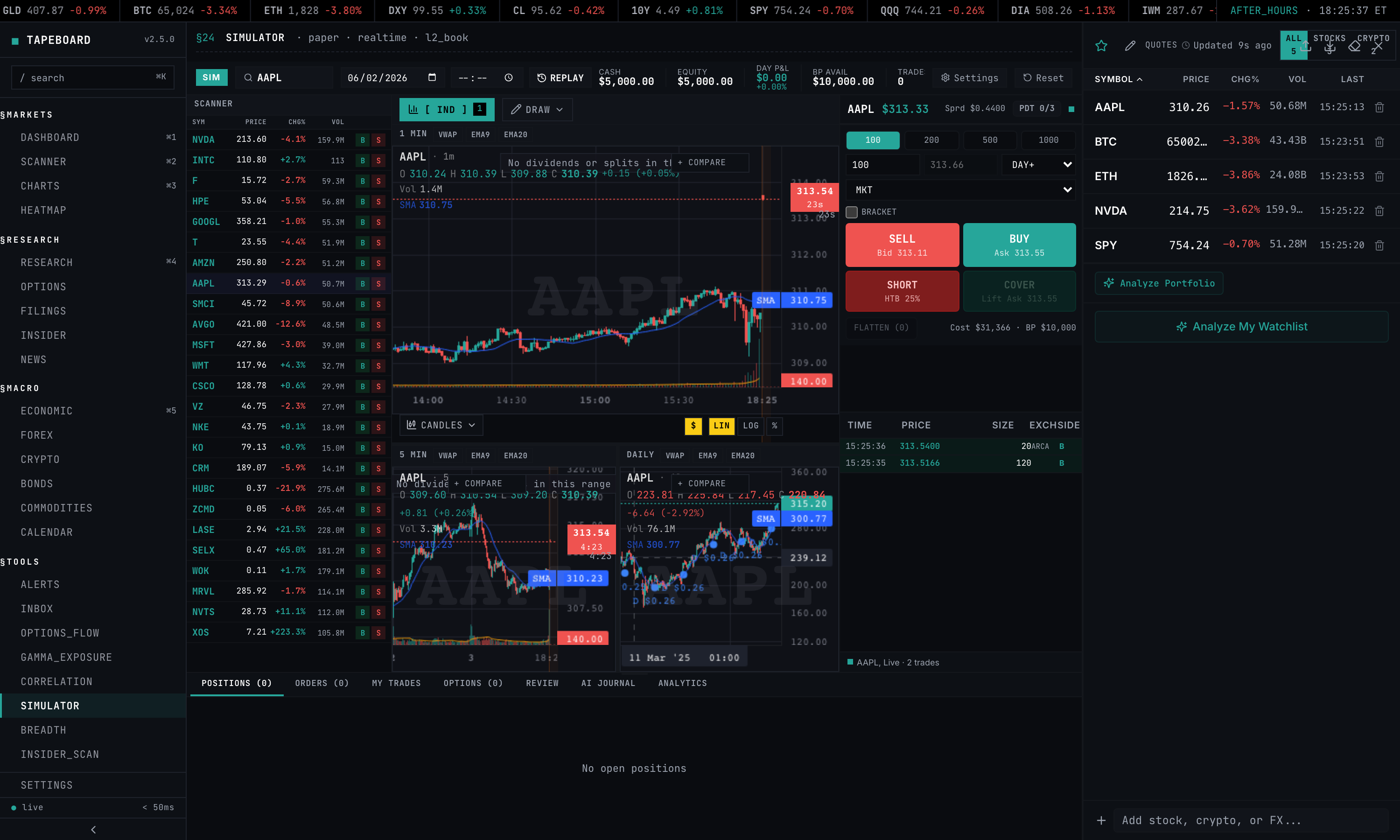
Market replay — a time machine for deliberate practice
Pick a past trading date and replay it. Play, pause, scrub the seek slider, and set the speed — 1x, 2x, 5x, 10x, or max — while the chart and your fills advance through that day’s real bars and the live feed is suppressed. This is the biggest reason to use Tapeboard over a generic simulator: you can rehearse the specific sessions that punished you — a gap-and-go, a halt, an earnings spike — again and again until the read becomes automatic. Replay v1 runs on 1-minute bars with roughly the last five trading sessions of depth.
Realistic fills
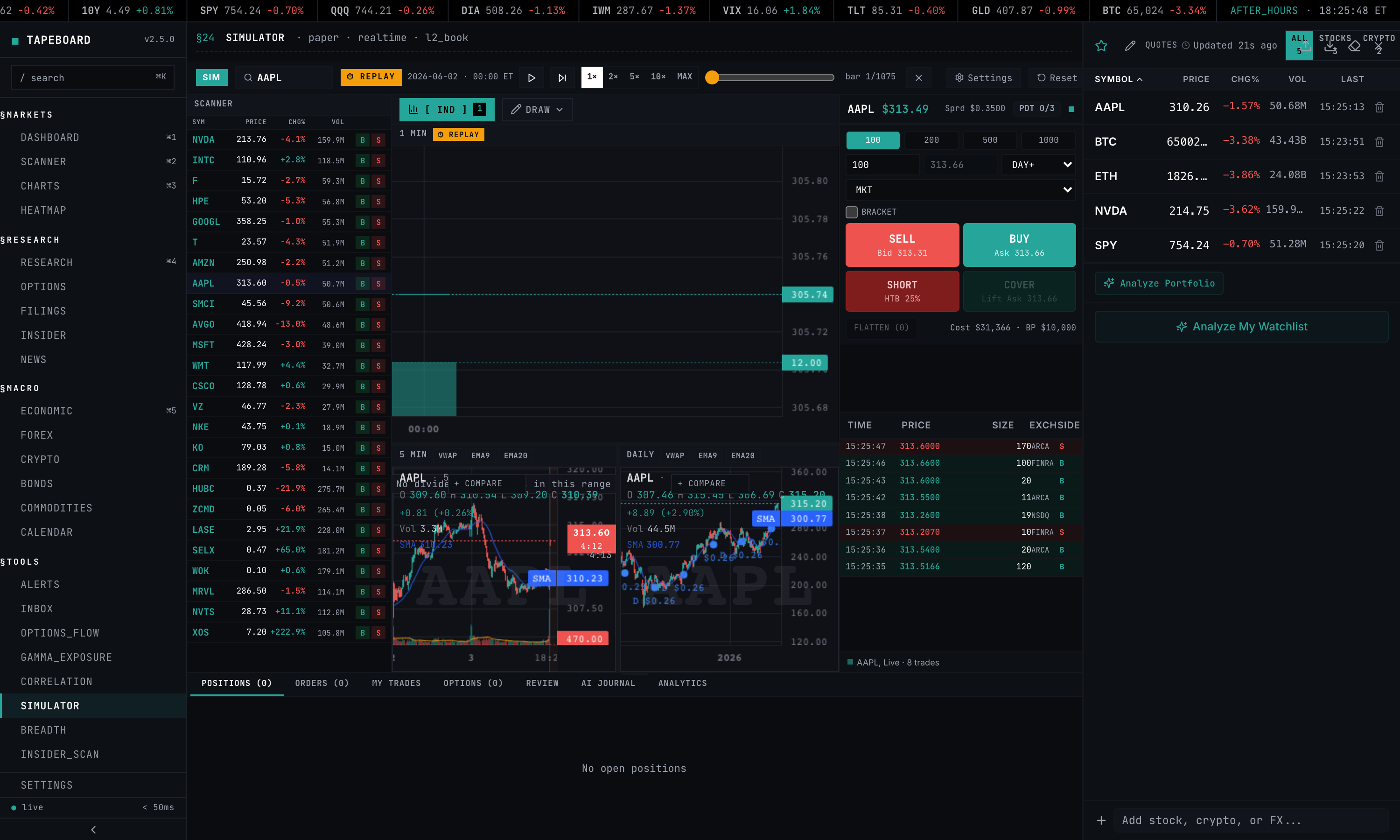
Realistic fills — spread, slippage, and commissions on every order
Every order is filled against a modeled bid/ask spread plus slippage scaled by the symbol’s recent real volume — thin names cost you more, just like live. On top of the fill price, commissions and fees are deducted: configurable per-share or per-trade, with SEC and TAF regulatory fees charged on sells. Stop orders behave honestly too — they slip through gaps and fill at the worse of the trigger price or the next print, so a stop is never a free guarantee.
Spread, slippage, and commission realism are available on every tier, including free. On any paid tier, fills upgrade to true Level 2 walk-book execution: larger orders walk the real Level 2 ladder for depth, so size-aware fills reflect the actual book rather than a modeled spread.
Charting
Pro charting inside the simulator
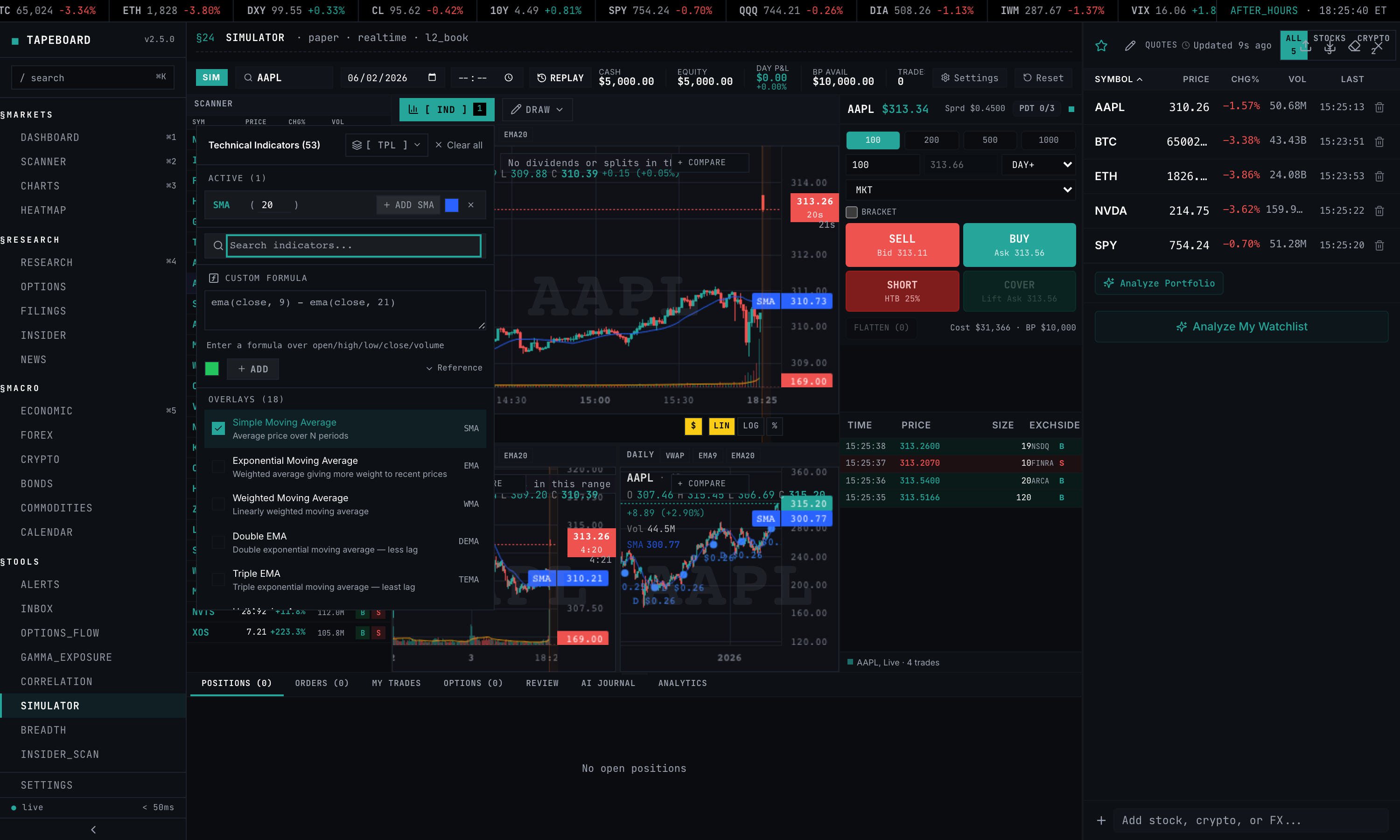
The simulator chart is the same engine as the main Charts page — no downgrade for trading in the sim. All 83 technical indicators are available through a searchable picker (with custom formula support), alongside 23 drawing tools including the Long/Short Position planning tool to map entry, stop, and target before you click the ticket. Analyze and execute on one surface.
Hotkeys
Scalper hotkeys for keyboard-speed order entry
When the trade is in the spread you don’t have time to mouse around. The simulator maps order entry to the keyboard so you can trade as fast as you’ll need to live — and the bindings work identically during market replay.
- BBuy
- SSell / short
- CCover
- FFlatten current symbol
- Shift + FFlatten all positions
- EscCancel all orders
- + / -Increase / decrease order size
- [ / ]Scale in / scale out
Journaling
Close a trade — it auto-logs to the journal
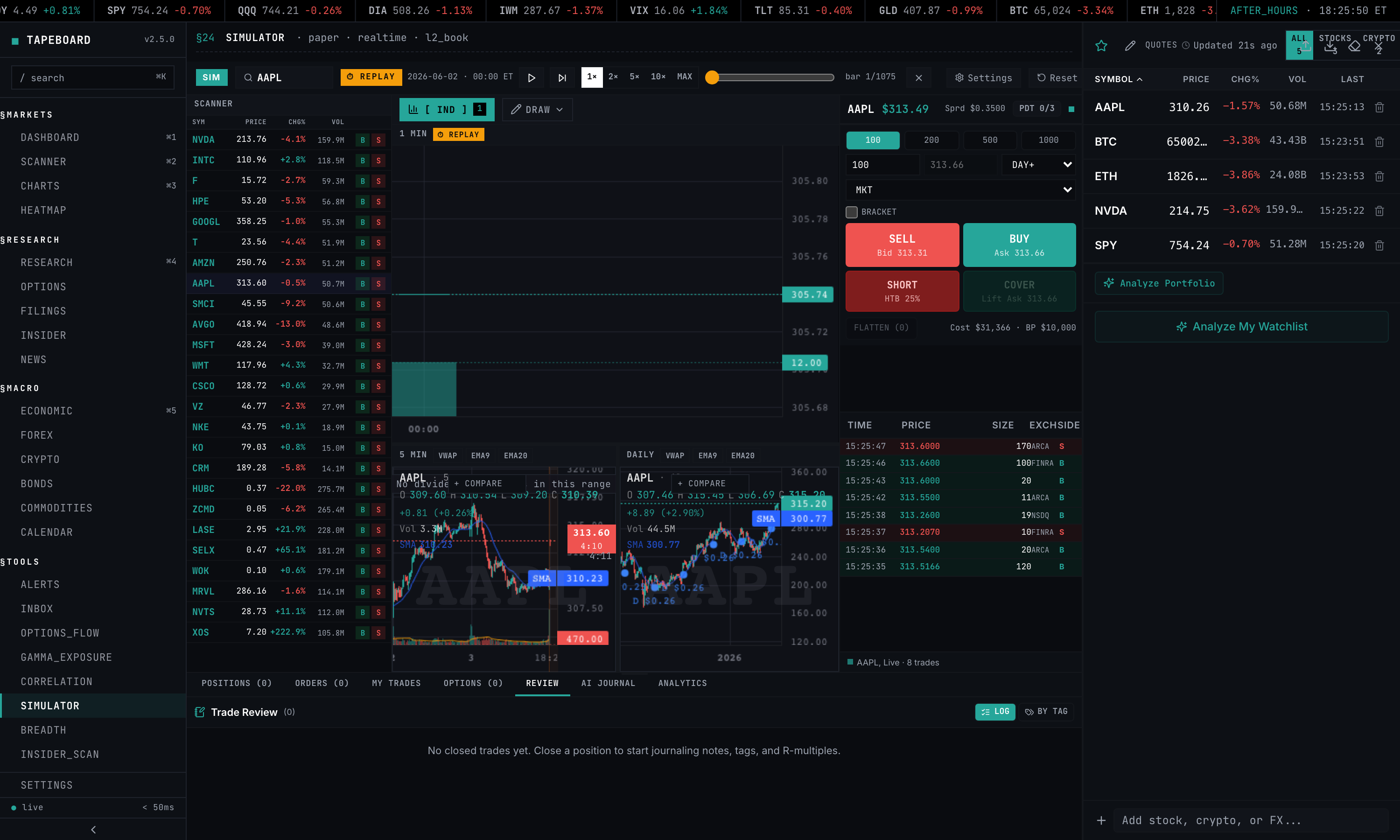
There is no import step between the simulator and the trade journal: the moment you close a position, the trade bridges straight into the journal with its R-multiple, side, size, P&L, duration, and any setup tags already attached. Practice and review live in one app. Add notes and tags (breakout, VWAP reclaim, gap-n-go, and your own), then open the stats-by-setup view — win rate, average R, and net P&L for each setup, plus an R-distribution and your overall expectancy — to find which setups actually pay and which ones you should stop trading.
Once you have 10 closed trades, your record earns a 0–100 Tape Score (A–F) that blends profit factor, R-expectancy, win rate, consistency, and drawdown control. Write your setups as rule-defined Playbooks and the journal checks each tagged trade for adherence and reports per-Playbook performance. And any single trade gets a privacy-safe share link that renders just that trade — entry, exit, R-multiple, chart — without exposing the rest of your account. Auto-journaling is free on every closed trade (the free log view shows your 20 most recent trades each month); Pro unlocks unlimited history and journal AI; Terminal adds CSV export.
Order types
Order types, shorting, and buying power
Order types
Market, limit, stop, stop-limit, trailing stop, and take-profit are all available on the free tier. Attach a protective stop and a take-profit to an open position straight from the positions blotter. Bracket orders (an entry with a stop and a target attached, one cancels the other) are included in Pro.
Shorting
Short with nightly borrow-rate carry, SSR (Short Sale Restriction) enforced when a stock falls more than 10% intraday, and LULD bands that halt trading server-side. Orders that would violate SSR or LULD are rejected the way a live broker rejects them — so your short P&L includes the days you wish you’d covered overnight.
Buying power
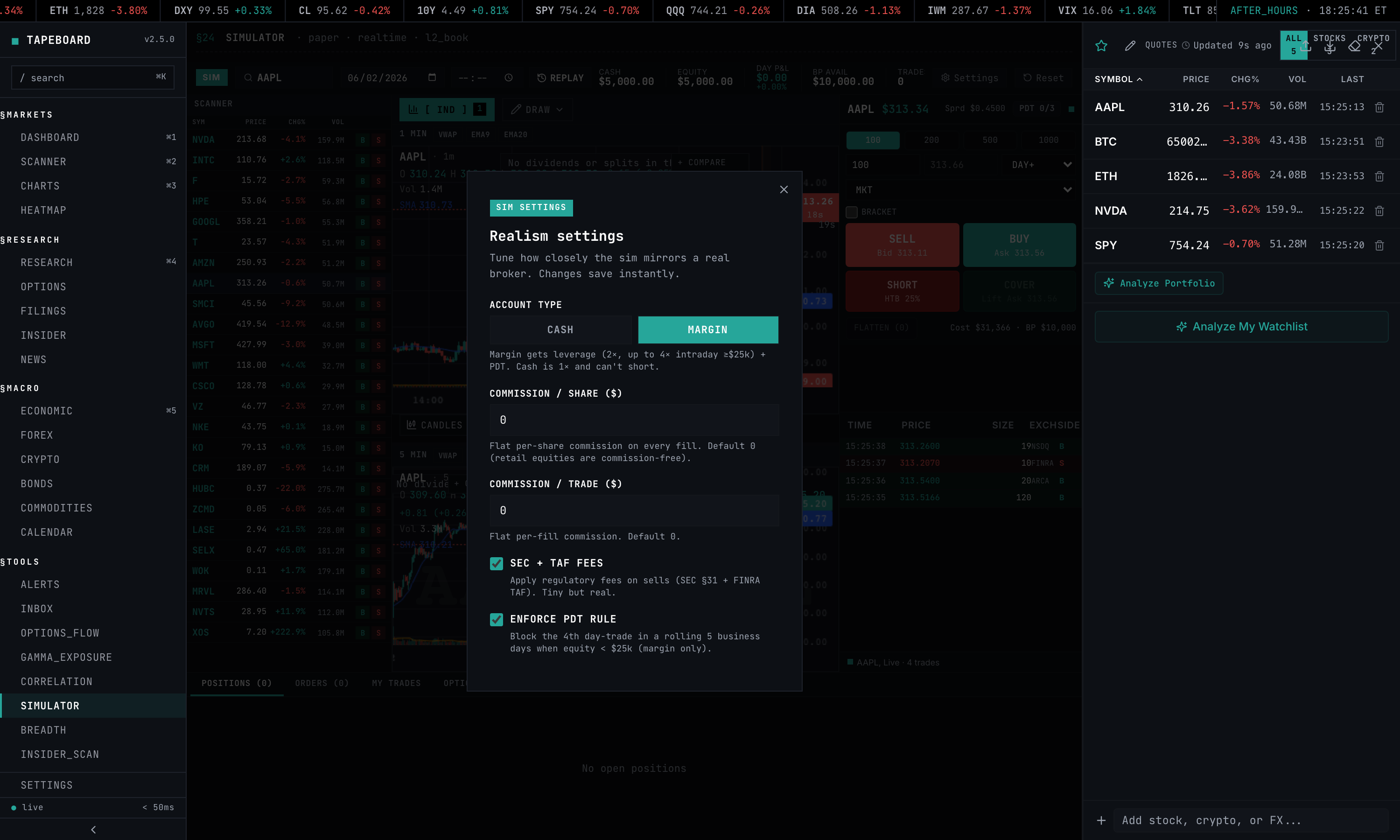
Buying power is enforced coherently on every order: 1x in a cash account, and margin accounts at or above the $2,000 FINRA minimum get 4x intraday buying power. The legacy pattern-day-trader rule (the $25k fourth-day-trade block) was eliminated by the amended FINRA Rule 4210 — it is off by default, and Realism settings can switch it back on if you want to rehearse under the old constraint.
Realism settings
Realism settings — dial the friction
A settings panel lets you tune how punishing the simulator is. Choose account type (cash vs margin), set commission per share or per trade, toggle SEC and TAF fees on sells, and switch the PDT rule on or off. Crank it up to rehearse the exact constraints of your live account, or relax it while you’re learning a new setup.
Comparison
Tapeboard vs TradingView vs Webull vs Thinkorswim
| Tapeboard | TradingView | Webull Paper | Thinkorswim PaperMoney | |
|---|---|---|---|---|
| Market replay (past sessions) | Yes (play/seek/speed) | No | No | No |
| Spread + slippage modeled | Yes (volume-scaled) | No (mid-price) | No (last-trade) | No (theoretical) |
| Commissions modeled | Yes (per-share/trade + SEC/TAF) | No | No | No |
| L2 walk-book fills | Yes (any paid tier) | No (mid-price) | No (last-trade) | No (theoretical) |
| Real-time data | Yes (Schwab licensed) | Yes (paid tiers) | Yes | Delayed 15m (real-time on live acct) |
| Drawing tools + 83 indicators in sim | Yes (full toolkit) | Yes (best in class) | Limited | Yes |
| Scalper hotkeys | Yes (B/S/C/F + scale) | Partial | No | Partial |
| R-multiple journaling | Yes (auto + stats-by-setup) | No | No | No |
| Shorting + borrow carry | Yes (nightly carry) | Partial (no carry) | Partial (no carry) | Approximated |
| SSR + LULD enforcement | Yes | No | Partial | No |
| Order types | Market + limit + stop + bracket | Most types | Most types | Deepest (options) |
| Persistence on refresh | Yes | Yes | Yes | Yes |
| Price | Free / $39 Pro / $79 Terminal | Free / $14.95+ | Free | Free w/ Schwab acct |
TradingView’s charting is deeper than ours and probably always will be — it’s their core product. Thinkorswim’s options modeling is the deepest of the four. Tapeboard wins on the things that make practice transfer: market replay of real past sessions, modeled spread/slippage/commission fills, scalper hotkeys, and R-multiple journaling that auto-logs into the same surface. True L2 walk-book fills come with any paid tier.
Head-to-head breakdowns: vs TradingView paper trading · vs Webull · vs thinkorswim · vs TradeStation.
Pricing
Pricing & access
Free (no credit card) — the simulator starting at a $25,000 balance by default (set your own at setup or reset), market/limit/stop orders, modeled spread + slippage + commission fills, market replay, full charting (83 indicators + 23 drawing tools), scalper hotkeys, and auto-journaling of every closed trade.
Pro — $39/mo (or $374/yr, about $31/mo) — unlimited journal history and analytics, journal AI, and the live Level 2 depth + time & sales feed.
Terminal $79/mo: everything in Pro, plus bulk journal CSV/JSON export.
FAQ
Paper trading simulator FAQ
Is the Tapeboard paper trading simulator free?
Yes. The free tier needs no credit card and includes a paper balance starting at $25,000 by default (adjustable — setup presets run $5,000–$100,000, or set your own), market/limit/stop orders, modeled spread + slippage + commission fills, market replay of past sessions, the full charting toolkit (83 indicators and 23 drawing tools), scalper hotkeys, and auto-journaling of every closed trade. Pro ($39/mo, or $374/yr) adds unlimited journal history and analytics, journal AI, the live Level 2 depth + time & sales feed, and sim fills that walk the real Level 2 book. Terminal ($79/mo) adds bulk CSV/JSON export.
What is market replay in the simulator?
Market replay is a time machine for practice. You pick a past trading date, then play, pause, scrub, and set the speed (1x, 2x, 5x, 10x, or max) while the chart and your fills advance through that day’s real 1-minute bars. The live feed is suppressed during replay, so you can rehearse the exact sessions that matter — a gap-up, a halt, an earnings day — as many times as you want. Replay v1 covers roughly the last five trading sessions of depth.
How realistic are the fills?
Every order is filled against a modeled bid/ask spread plus slippage scaled by the symbol’s recent real volume, and commissions and fees (configurable per-share or per-trade, with SEC and TAF fees on sells) are deducted. Stop orders slip through gaps and fill at the worse of the trigger price or the next print. On any paid tier, fills upgrade to true Level 2 walk-book execution, where larger orders walk the real Level 2 ladder for depth. Spread, slippage, and commission realism are available on every tier; the true L2 walk-book needs Pro or Terminal.
Are commissions and fees modeled?
Yes. The realism settings panel lets you set commission per share or per trade and toggle SEC and TAF regulatory fees, which are charged on sells. This means your simulated P&L reflects the real cost of trading frequency — the thing that quietly kills most scalping strategies on a live account.
Can you short stocks in the paper trading simulator?
Yes. Shorting is supported with nightly borrow-rate carry, SSR (Short Sale Restriction) enforcement when a stock drops more than 10% intraday, and LULD halt enforcement. Buying power is enforced coherently on every order: 1x in a cash account, and margin accounts at or above the $2,000 FINRA minimum get 4x intraday buying power.
Does the simulator have keyboard hotkeys for fast trading?
Yes. Scalper hotkeys give you keyboard order entry: B to buy, S to sell or short, C to cover, F to flatten the current symbol, Shift+F to flatten all positions, Esc to cancel all orders, + and - to adjust size, and [ and ] to scale in and out. They work the same way in live simulation and during market replay.
What is R-multiple journaling?
Every closed trade auto-logs with its R-multiple, computed from your initial stop and risk. You can add notes and setup tags (breakout, VWAP reclaim, gap-n-go, and so on), then open a stats-by-setup view that shows win rate, average R, and net P&L per setup, along with an R-distribution and your overall expectancy. Journaling is free on every closed trade (the free journal view shows your 20 most recent trades each month); Pro is unlimited; Terminal adds CSV export.
How much virtual money do I get?
You start with a $25,000 paper account by default, and you pick the size yourself at setup or when you reset — presets run $5,000 to $100,000, or type any amount. Balance, positions, open orders, and resting brackets persist across refresh, logout, and device, so you can hold swing trades over days or weeks.
What is the difference between Tapeboard and TradingView paper trading?
TradingView has the best charting and probably always will. Tapeboard wins on fill realism, market replay, and integrated journaling: TradingView fills at mid-price with no spread, slippage, commissions, SSR, or borrow costs, and has no past-session replay. Tapeboard models all of those and auto-logs every trade with its R-multiple. Use TradingView for chart analysis, Tapeboard for execution practice.
Related
Related pages
Practice the way you’ll actually trade.
Free account starting at $25,000, no credit card. Market replay, realistic spread + slippage + commission fills, 83 indicators, hotkeys, and R-multiple journaling.
Start free View pricing